UAgent Spotify Integration
Overview
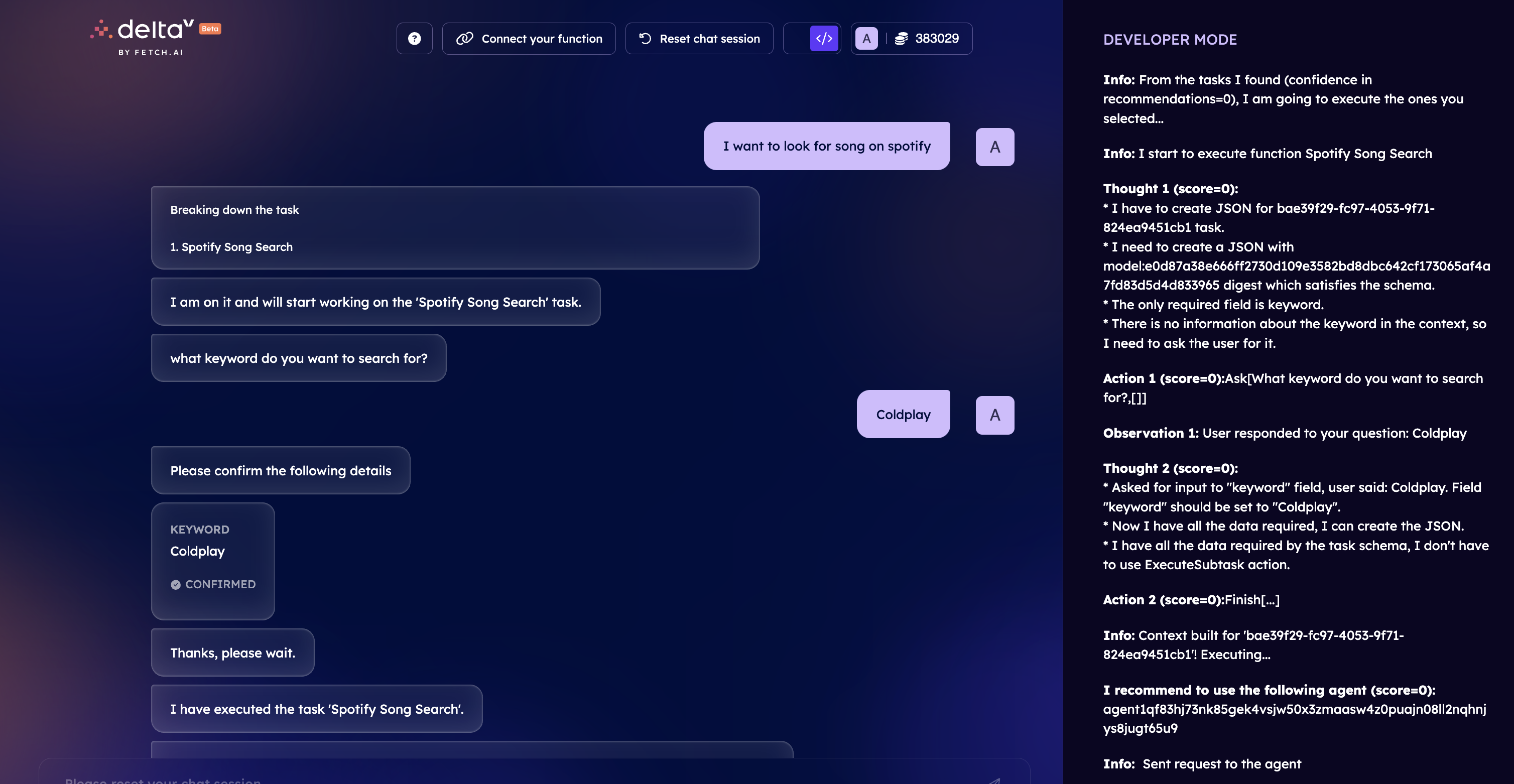
This integration allows users to search for songs on Spotify using keywords. It leverages the Spotify API to fetch song details. The integration is designed to run as an local uAgent on the Agentverse platform and can be interacted using deltaV, providing seamless song search functionality through a conversational interface.
Steps to Use This Integration on DeltaV
1. Set Up the Environment
-
Clone the repository:
git clone https://github.com/fetchai/uAgents.git cd uAgents/integrations/spotify-integration -
Create and activate a virtual environment:
poetry env use python3 poetry shell -
Install Dependencies
poetry install -
Export the Spotify API credentials:
- On Windows:
set SPOTIPY_CLIENT_ID=your_spotify_client_id set SPOTIPY_CLIENT_SECRET=your_spotify_client_secret- On MacOS:
export SPOTIPY_CLIENT_ID=your_spotify_client_id
export SPOTIPY_CLIENT_SECRET=your_spotify_client_secret
Spotify Client_id and Client_secret can be obtained from Spotify for Developer ↗️. Change the ID and Secret in above code to setup the environment variables
2. Run the Script
Execute the script to get the agent's address and create a mailbox:
```bash
python3 song_agent.py
```
Get the agent mailbox key from Local Agent ↗️ and for more reference please visit Mailbox Guide ↗️
3. Set Up the Function in AgentVerse
Follow the instructions in function.json to configure the service within AgentVerse.
4. Query the Song Search Service on DeltaV
Use DeltaV to interact with the agent and request song searches.
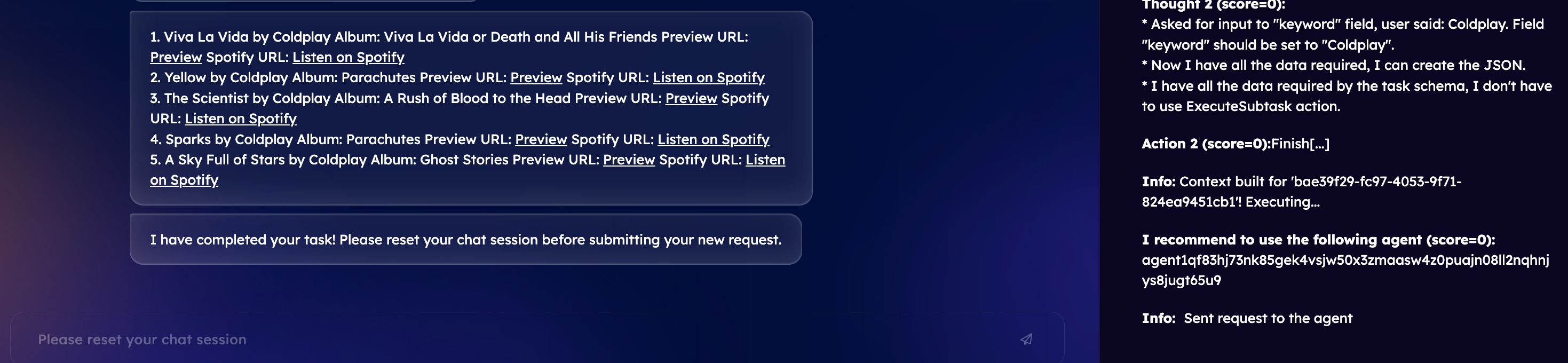
Expected Output
Song Search Results: The agent provides a list of songs matching the keyword, including details like song name, artists, album, preview URL, and a link to listen on Spotify.