# OpenACP
**Self-hosted bridge between messaging platforms and AI coding agents**
One message, any channel, any agent.
[](LICENSE)
[](https://nodejs.org/)
[](https://agentclientprotocol.org/)
[Getting Started](docs/guide/getting-started.md) | [Usage](docs/guide/usage.md) | [Configuration](docs/guide/configuration.md) | [Tunnel](docs/guide/tunnel.md) | [Plugins](docs/guide/plugins.md) | [Development](docs/guide/development.md)
---
Send a message in Telegram. An AI coding agent picks it up, writes code, runs commands, and streams everything back — in real time.
OpenACP connects messaging platforms (Telegram, Discord, ...) to AI coding agents (Claude Code, Codex, ...) via the [Agent Client Protocol (ACP)](https://agentclientprotocol.org/). You host it, you own the data.
## Architecture
```
You (Telegram / Discord / ...)
↓
OpenACP ─── ChannelAdapter ─── Session Manager ─── Session Store
↓ ↓
ACP Protocol (JSON-RPC / stdio) Tunnel Service
↓ ↓
AI Agent (Claude Code, Codex, ...) File/Diff Viewer (Monaco)
```
## Highlights
- [**Multi-agent**](docs/guide/configuration.md#agents) — Claude Code, Codex, or any ACP-compatible agent
- [**Telegram**](docs/guide/telegram-setup.md) — Forum topics, real-time streaming, permission buttons, skill commands
- [**Tunnel & Viewer**](docs/guide/tunnel.md) — Public file/diff viewer via Cloudflare, ngrok, bore, Tailscale
- [**Session persistence**](docs/guide/usage.md#session-persistence--resume) — Lazy resume across restarts
- [**Setup wizard**](docs/guide/getting-started.md) — Interactive first-run setup with bot validation and auto-detect
- [**Plugin system**](docs/guide/plugins.md) — Install channel adapters as npm packages
- [**Structured logging**](docs/guide/configuration.md#logging) — Pino with rotation, per-session log files
- **Self-hosted** — Your keys, your data, your machine
## Quick Start
```bash
npm install -g @openacp/cli
openacp
```
First run launches an [interactive setup wizard](docs/guide/getting-started.md) that validates your bot token, auto-detects your Telegram group, and finds installed agents.
## Commands
| Command | Description |
|---------|-------------|
| `/new [agent] [workspace]` | Create a new session |
| `/new_chat` | New session, same agent & workspace |
| `/cancel` | Cancel current session |
| `/status` | Show session or system status |
| `/agents` | List available agents |
## Roadmap
- **Phase 1** — Core + Telegram + ACP agents
- **Phase 2** — Tunnel/file viewer, session persistence, logging, plugin system
- **Phase 3** — Agent skills as commands, Discord adapter, Web UI
- **Phase 4** — Voice control, file/image sharing
- **Phase 5** — WhatsApp, agent chaining, plugin marketplace
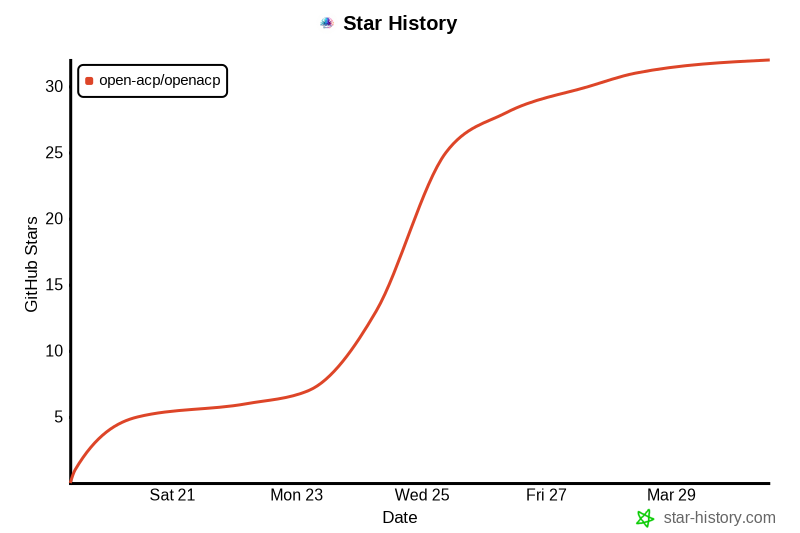
## Star History
 ## Contributing
See [development guide](docs/guide/development.md).
## License
[AGPL-3.0](LICENSE)