
 caelum0x
174222bcaa
Builds PaperTrail from the base skeleton into a full evidence-verification platform
for the "Built with Claude: Life Sciences" hackathon (Builder Track).

New named-user features (Build Beyond the Bench):
- Lab Notebook Companion — rough bench notes -> structured, searchable, grounded
  experiment records (lib/labNotebook, /console/lab-notebook, migration 0059)
- Clinical Trial Matcher — de-identified patient notes -> ranked eligible
  ClinicalTrials.gov trials with per-criterion inclusion/exclusion reasoning
  (lib/trialMatcher, /console/trial-matcher, migrations 0060)

Platform:
- Deterministic verification moat (biostats recompute, exact-span grounding)
- 11 biomedical evidence engines (FAERS, GWAS, Open Targets, ChEMBL, ClinVar,
  PharmGKB, PubTator, DDI, repurposing, biomarker, unified verifier)
- Evidence Intelligence (KG, dossier, provenance/export, RWE) + enterprise
  governance (RBAC, /api/v1 gateway, metering, audit chain, retention)
- 17 OSS projects assimilated into native TypeScript on our stack (backend/engines
  retained + credited in NOTICE)
- Multi-format upload (PDF/DOCX/XLSX/CSV/MD/TXT), logo, marketing site
- Next.js 16 upgrade, benchmark harness (honest smoke-test caveat)

Licensing: Apache-2.0 (LICENSE + NOTICE).
6.9 KiB
User Guide
Installation
Clone the repository and navigate to the project directory
git clone https://github.com/Libr-AI/OpenFactVerification.git
cd OpenFactVerification
Installation with poetry (option 1)
- Install Poetry by following it installation guideline.
- Install all dependencies by running:
poetry install
Installation with pip (option 2)
-
Create a Python environment at version 3.9 or newer and activate it.
-
Navigate to the project directory and install the required packages:
pip install -r requirements.txt
Configure API Keys
API keys can be configured from both Environment Variables and Configuration Files.
Specifically, the tool initialization loads API keys from environment variables or config file, config file take precedence. Related implementations can be seen from factcheck/utils/api_config.py.
Environment Variables
Example: Export essential api key to the environment
export SERPER_API_KEY=... # this is required in evidence retrieval if serper being used
export OPENAI_API_KEY=... # this is required in all tasks
export ANTHROPIC_API_KEY=... # this is required only if you want to replace openai with anthropic
export LOCAL_API_KEY=... # this is required only if you want to use local LLM
export LOCAL_API_URL=... # this is required only if you want to use local LLM
Configuration Files
Alternatively, we can store the api information in a YAML file with the same key names as the environment variables and pass the path to the yaml file as an argument to the check_response method.
Example: Pass the path to the api configuration file
SERPER_API_KEY: null

OPENAI_API_KEY: null

ANTHROPIC_API_KEY: null

LOCAL_API_KEY: null
LOCAL_API_URL: null
To load api configurations from a YAML file, please specify the path to the YAML file with the argument --api_config
python -m factcheck --modal string --input "MBZUAI is the first AI university in the world" --api_config PATH_TO_CONFIG_FILE/api_config.yaml
Additional API Configurations
The supported api configuration variables are pre-defined in factcheck/utils/api_config.py.
# Define all keys for the API configuration
keys = [
    "SERPER_API_KEY",
    "OPENAI_API_KEY",
    "ANTHROPIC_API_KEY",
    "LOCAL_API_KEY",
    "LOCAL_API_URL",
]
Only these variables can be loaded from Environment Variables. If additional variables are required, you are recommended to define these variable in a YAML files. All variables in the api configuration file will be loaded automatically.
Basic Usage
Used in Command Line
python -m factcheck --input "MBZUAI is the first AI university in the world"
Used as a Library
from factcheck import FactCheck

factcheck_instance = FactCheck()

# Example text
text = "Your text here"

# Run the fact-check pipeline
results = factcheck_instance.check_response(text)
print(results)
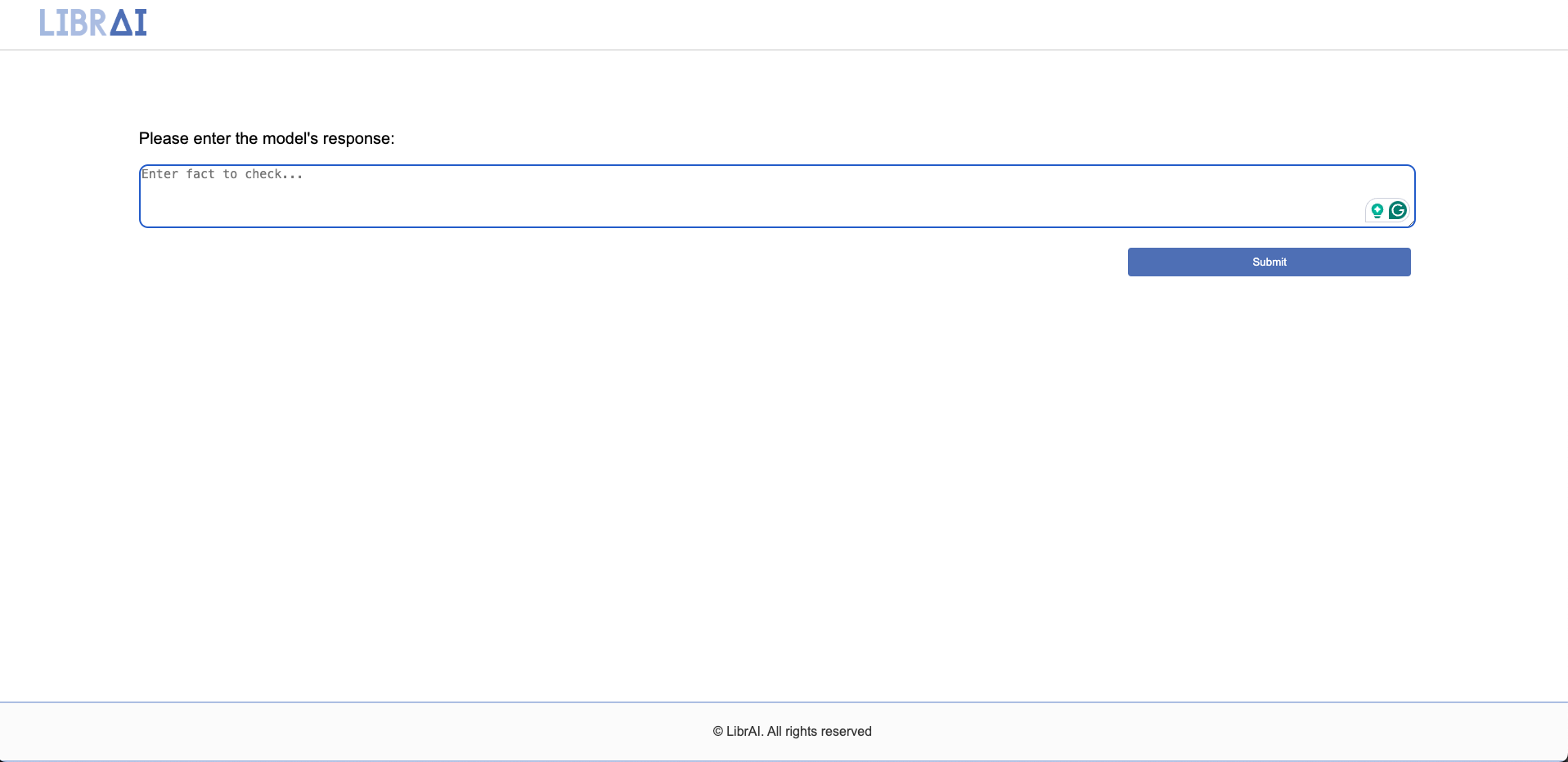
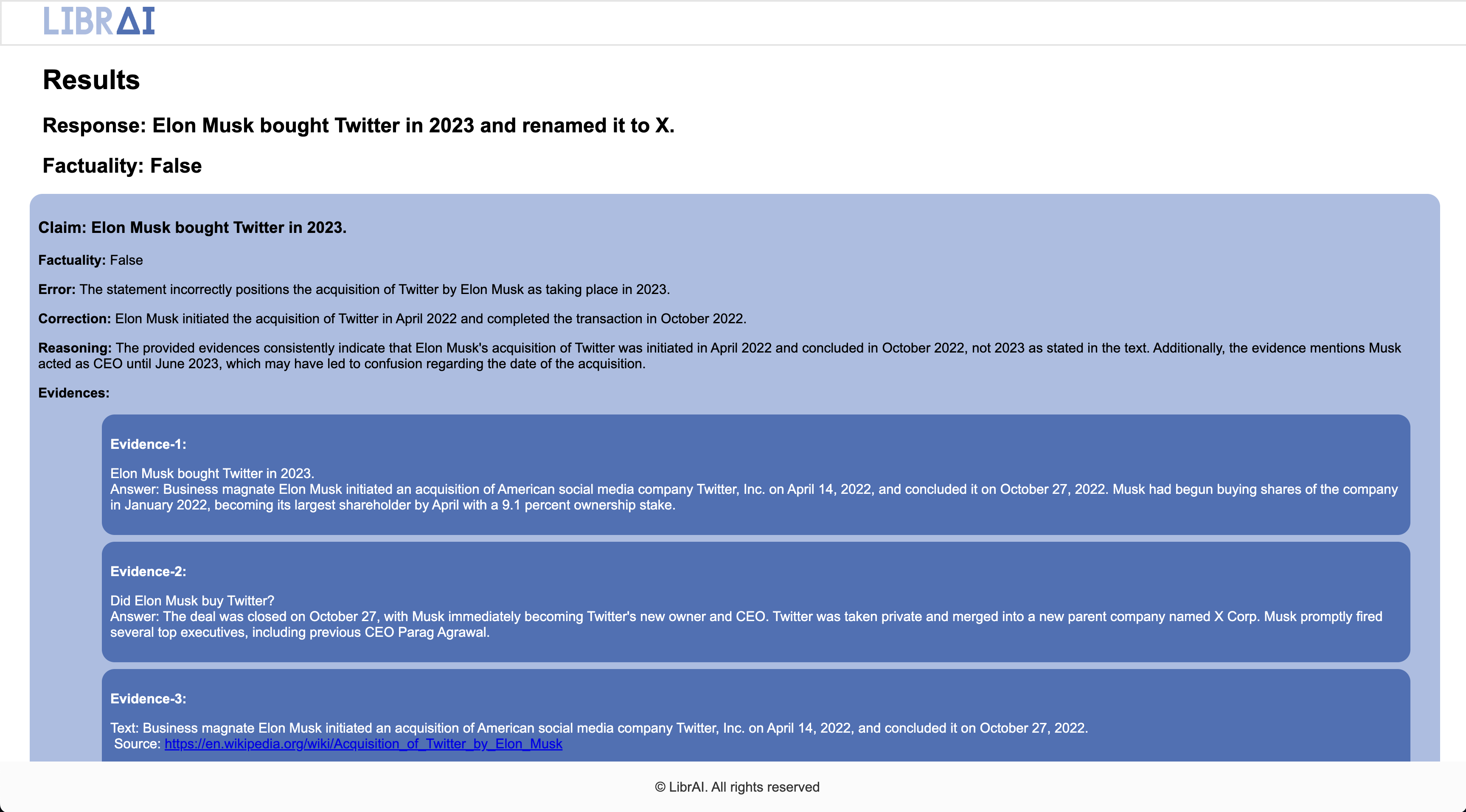
Used as a Web App
python webapp.py --api_config demo_data/api_config.yaml
Advanced Features
Multimodality
Different modalities (text, speech, image, and video) are unified in this tool by converting them into text, and then verified by the standard text fact verification pipeline.
# String
python -m factcheck --modal string --input "MBZUAI is the first AI university in the world"
# Text
python -m factcheck --modal text --input demo_data/text.txt
# Speech
python -m factcheck --modal speech --input demo_data/speech.mp3
# Image
python -m factcheck --modal image --input demo_data/image.webp
# Video
python -m factcheck --modal video --input demo_data/video.m4v
Customized Prompts
Prompts for each step can be specified in a YAML/JSON file. Please see factcheck/config/sample_prompt.yaml as an example.
For now, there are four prompts in each file with respect to claim decomposition, claim checkworthy, query generation, and claim verification, respectively.
When using your own prompts, please use --prompt to specify the prompt file path.
python -m factcheck --input "MBZUAI is the first AI university in the world" --prompt PATH_TO_PROMPT/sample_prompt.yaml
Switch Between Models
Currently, Loki supports models from OpenAI, Anthropic, and local-hosted models. To specify the model version used for fact checking, there are two arguments --model and --client.
Please see factcheck/utils/llmclient/__init__.py for details.
| Model | --model | --client |
|---|---|---|
| OpenAI | gpt-VERSION | None |
| Anthropic | claude-VERSION | None |
| Local | MODEL_NAME | local_openai |
# OpenAI
python -m factcheck --modal string --input "MBZUAI is the first AI university in the world" --model gpt-4-turbo

# Anthropic
python -m factcheck --modal string --input "MBZUAI is the first AI university in the world" --model claude-3-opus-20240229

# Local
python -m factcheck --modal string --input "MBZUAI is the first AI university in the world"  --client local_openai --model wizardlm2
The prompt can be model-specific, especially if we ask the model to output a JSON format response. We have yet to have a chance to support all models, so you will have to adopt your own prompts when using models other than openai.
Besides, when using local_openai models, please make sure to specify LOCAL_API_KEY and LOCAL_API_URL.
Switch Between Search Engine
Currently google search and Serper are supported. You can switch between different search engines with the argument --retriever.
# Serper
python -m factcheck --modal string --input "MBZUAI is the first AI university in the world"  --retriever serper

# Google
python -m factcheck --modal string --input "MBZUAI is the first AI university in the world"  --retriever google
You can get a serper key from https://serper.dev/